Ground Station
Archived 2024–2025 hardware guide. Confirm current hardware and requirements with the leads. SSH safety guidance was corrected on October 8, 2026.
The ground station is a raspberry pi with an HC-12.
Connect the HC-12 to pins in the image below no need for the set pin, set the channel using the flight computer.
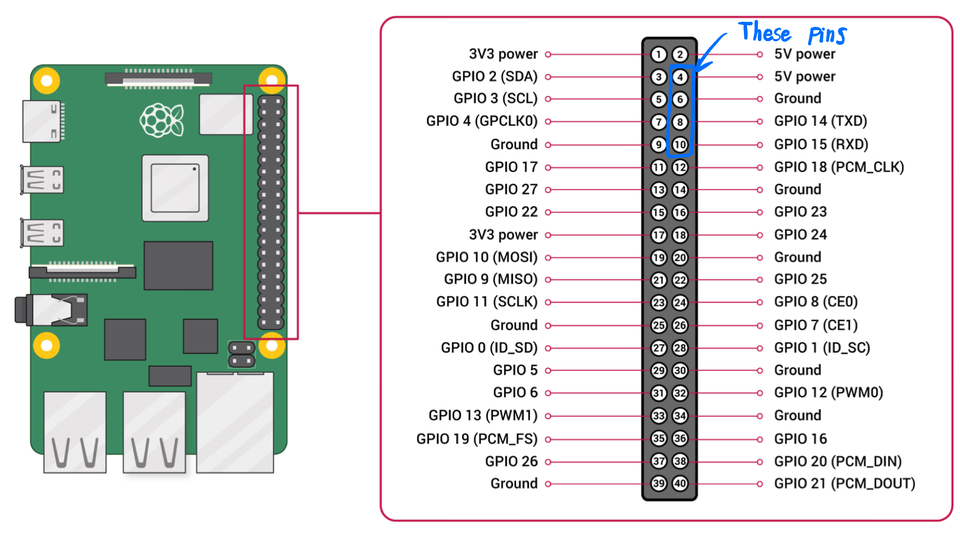
Raspberry Pi Set Up
Flash and Connect to Raspberry Pi
- Download Raspberry Pi Imager
- Select RASPBERRY PI OS LITE (64-BIT)
- Use Imager's customization settings to set a unique hostname and username. Enable SSH with public-key authentication and add each authorized member's public key. Keep private keys and passwords private; never post them in Discord or this repository. See Raspberry Pi's SSH documentation.
- Plug in SD card, select it, click write.
- Plug in Pi to network, and connect computer to same network
- Verify the Pi's SSH host-key fingerprint through a trusted local console or the device administrator before accepting it. Connect using your own key:
ssh username@hostname.local.
Enable the pins on the raspberry pi
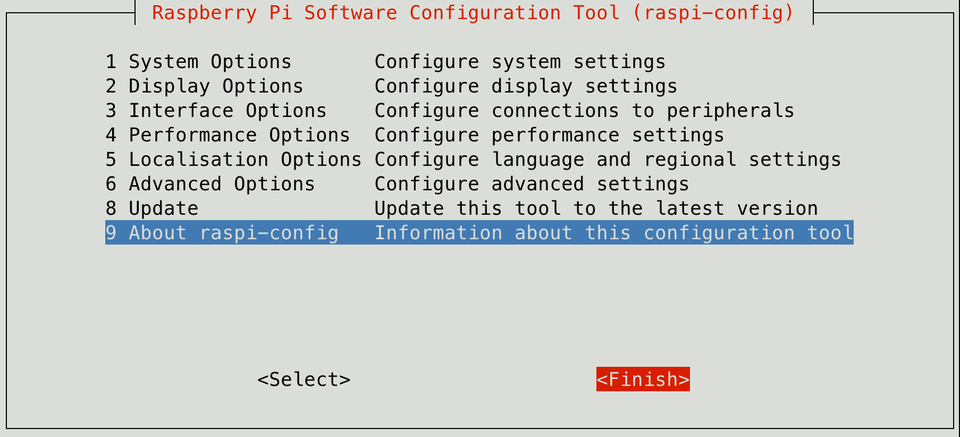
sudo raspi-config
You should see this
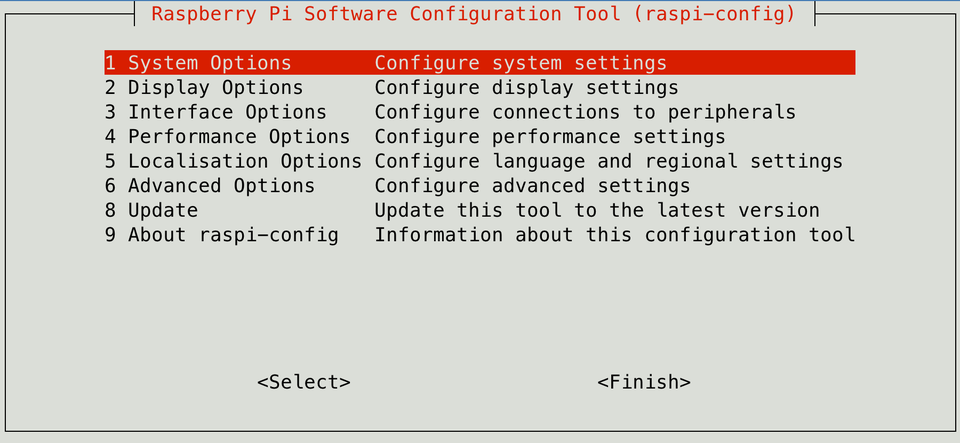 Select 3 Interface options
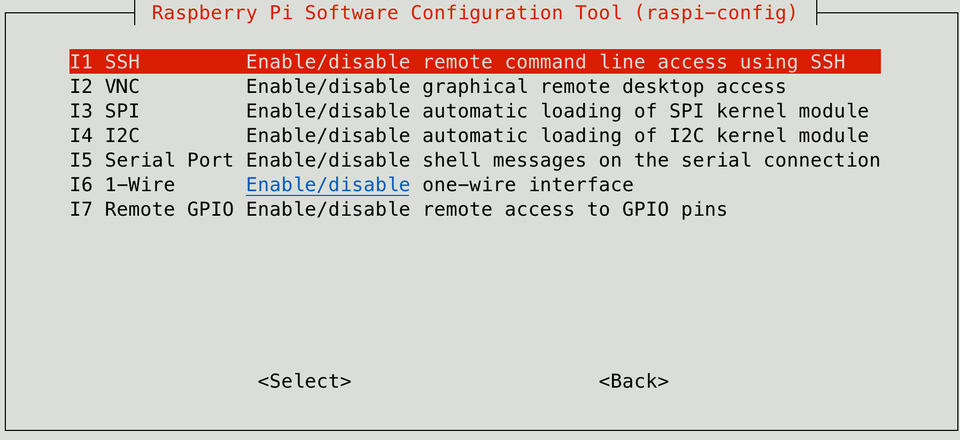 select I5 Serial Port
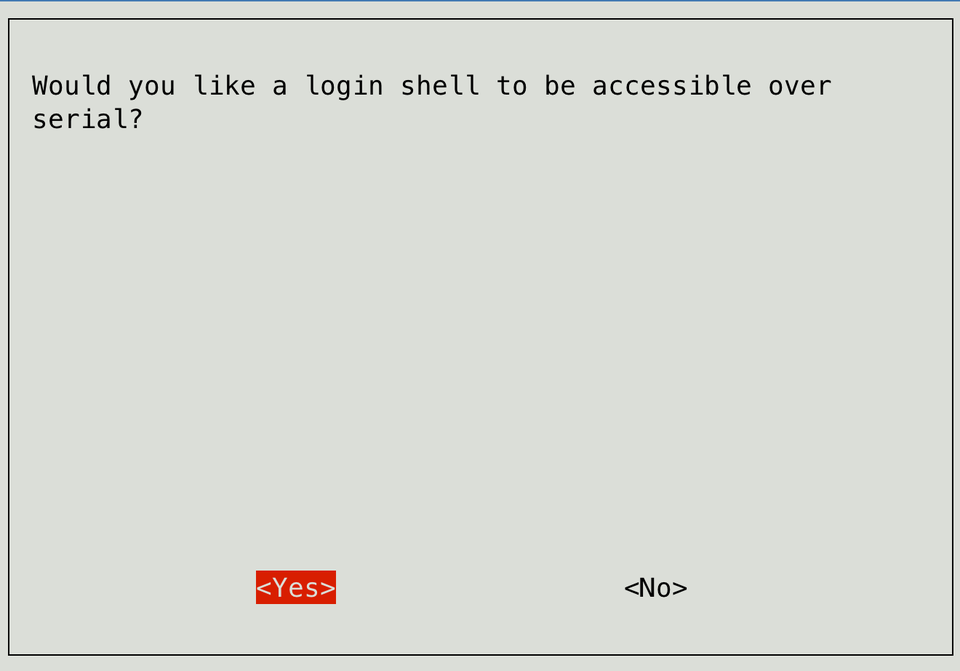 Select No dont enable ssh over serial
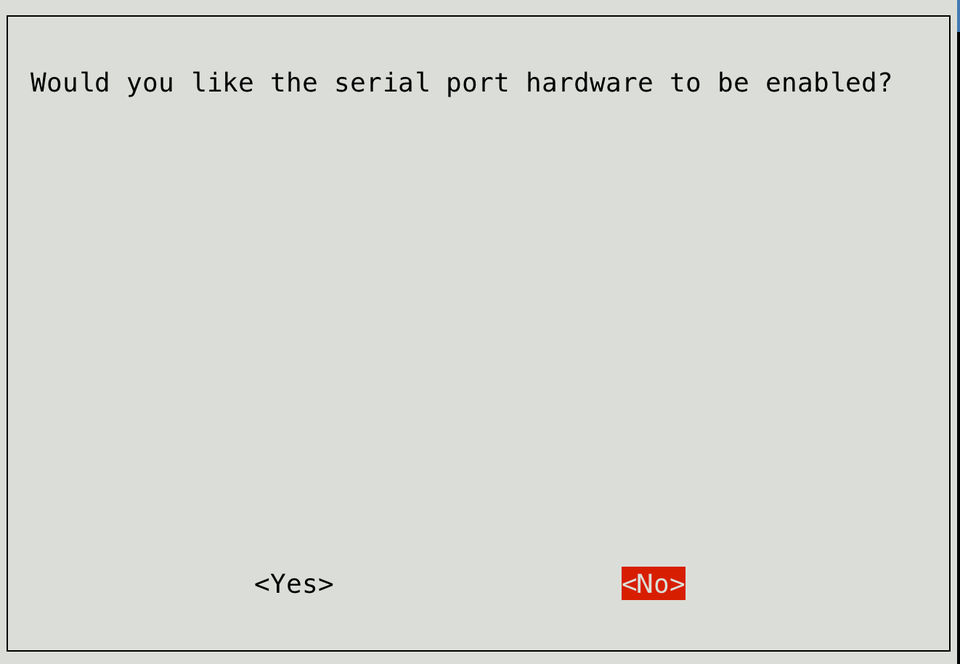 Select yes enable serial port hardware to be enabled
It should look like this
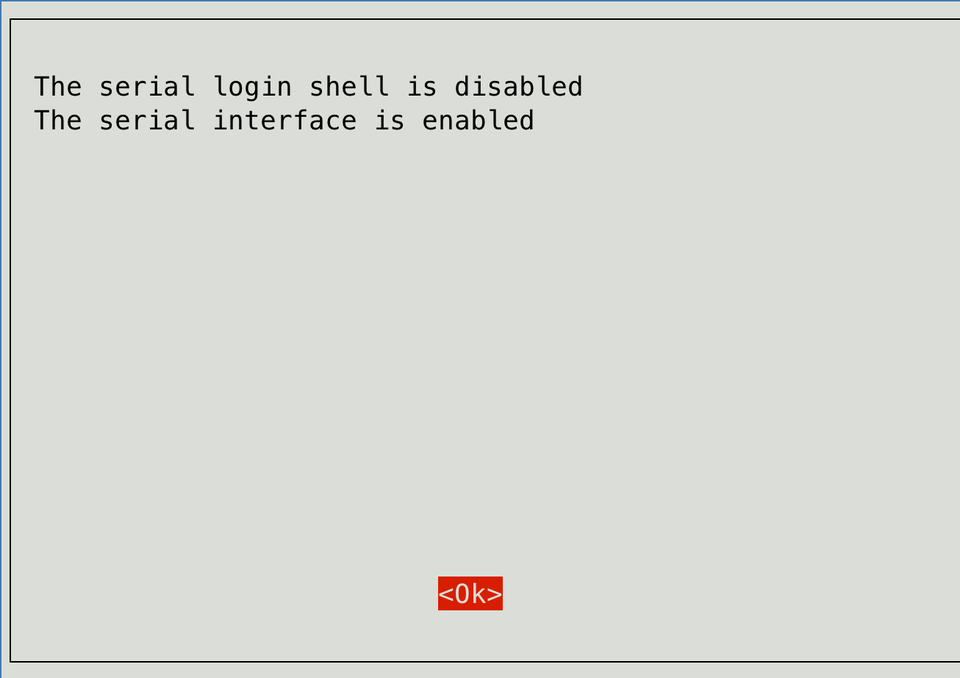
Select finish, and reboot it now, you'll have to ssh into it again
Install a few things in Linux
- First familiarize youself with
ls,ls -al,cd,mkdir,rm,rm -r,sudo - Install git
sudo apt install git - Clone repo
git clone https://github.com/marstmu/groundstation.git - Install python library
sudo apt install python3-serial - cd into groundstation
cd groundstation - Run gs.py with python
python gs.py
Tips
If it says something like this while trying to SSH:
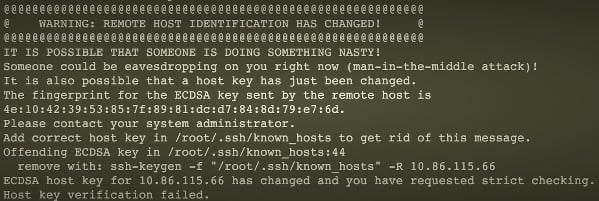 Stop and verify why the key changed. From a trusted console on the Pi, an administrator can show its Ed25519 host-key fingerprint with
 ssh-keygen -lf /etc/ssh/ssh_host_ed25519_key.pub. Compare it with the fingerprint shown by SSH.
Only after independently confirming a legitimate change (for example, an authorized re-image), remove the entry for that specific hostname with ssh-keygen -R hostname.local, then reconnect and verify the fingerprint. If you connected by IP address, use that exact IP instead. Never delete the entire known_hosts file or bypass host-key checking.
Reference: OpenSSH's ssh-keygen manual.